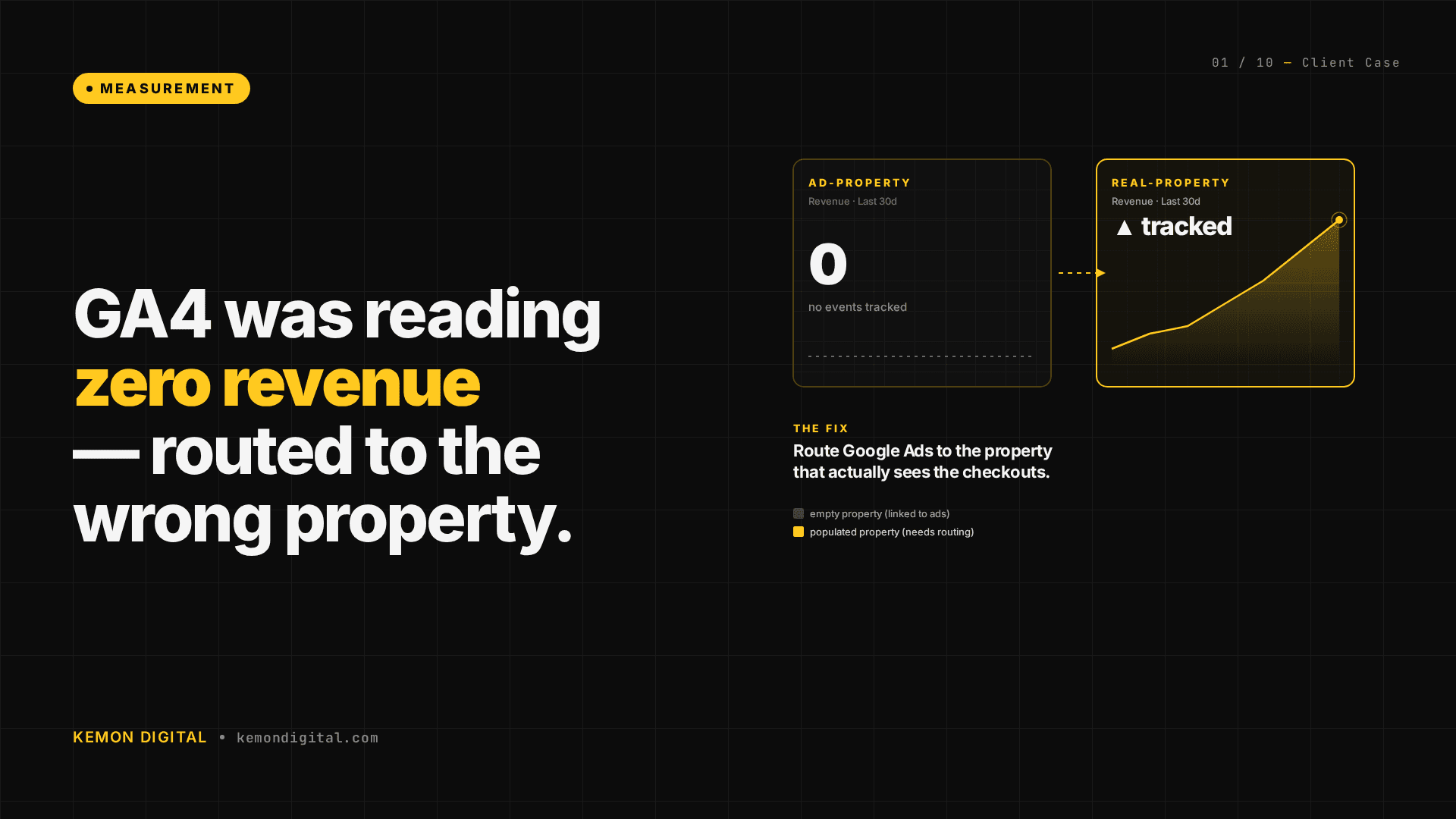
GA4 showing zero revenue? Your Google Ads might be reading the wrong property
GA4 showing zero revenue? Your Google Ads might be reading the wrong property
When a live e-commerce platform shows RM 0.00 in GA4 Monetization while the business is doing meaningful monthly volume, the instinct is to assume tracking is broken. Nine times out of ten, tracking isn't broken — it's being pushed to the wrong GA4 property, and Google Ads is reading the empty one.
This is the diagnostic we ran for a B2B wholesale platform — and the fix that made Google Ads see real purchase data inside 24 hours.
The situation
A B2B wholesale platform operating in the Klang Valley, at mid-five-figure monthly GMV. Healthy share of revenue from repeat buyers. Healthy share of traffic from organic search.
We took over performance marketing and ran the measurement-stack audit first — because every bid strategy downstream compounds on that data.
What we saw:
- GA4 Monetization: RM 0.00, every metric, every date range.
- Google Ads
purchaseconversion: 0 conversions, 0 value over 30 days. - Google Ads was optimizing against a page-load event ("Checkout | Payment") with no revenue attached.
What we found
The GA4 account had two properties:
| Property | Linked to Google Ads? | Revenue recorded (30d) |
|---|---|---|
| Front-of-house (customer-facing) | Yes | RM 0.00 |
| Admin (internal reporting) | No | Meaningful monthly revenue, dozens of purchasers |
The GTM container had a single GA4 Config tag, pointing at the admin property. Every purchase event, every ecommerce parameter, every transaction_id — all of it was flowing into the property that wasn't linked to Google Ads.
The Google Ads-linked property was only receiving legacy inline gtag() pageview calls from a Rails partial. No ecommerce payload. No purchases. Which is why GA4 Monetization read RM0.
This is a classic artefact of platforms that grow through iterations: an admin property gets set up for internal dashboards, Google Ads gets linked later, and the GTM config predates the linkage. Nothing is wrong individually — the pieces just need to be reconciled as the stack evolves.
What we did
Three GTM-only changes. No developer time.
- Added a duplicate
purchaseevent tag pointing at the Google Ads-linked property. Same trigger, same ecommerce parameters. Two tags now fire in parallel — one for each property. - Published a new GTM version as the audit trail.
- Re-imported
purchaseas the primary conversion in Google Ads, replacing the page-load event.
Deploy time: under an afternoon.
The result
Within 24 hours:
- Google Ads-linked property started receiving purchase events with full ecommerce payload.
- Dozens of purchasers and a meaningful slice of monthly revenue became visible to the bid optimizer.
- The admin property continues receiving the same data — internal reporting untouched.
The bid optimizer hadn't been broken. It had been starved.
Thirty days later, Google Ads had enough purchase signal to shift from manual bidding toward Maximise Conversion Value with target ROAS.
How to run this diagnostic on your own stack
Three five-minute checks:
- Which property is GTM firing to? GTM → GA4 Config tag → read the Measurement ID. Compare it against the property
purchasewas imported from in Google Ads → Tools → Conversions. - How many GA4 properties exist on this account? GA4 → Admin → Property list. Businesses accumulate properties during handovers, re-brands, and staging setups.
- Is Google Ads' primary conversion a revenue event? Purchase with MYR value should be primary. Page-load or form-submit conversions starve the optimizer.
FAQ
Q: Why would GA4 Monetization show RM0 if purchases are actually happening?
Because the purchase event is being fired to a different GA4 property than the one you're looking at. In multi-property accounts, a single misrouted GA4 Config tag in GTM is enough to make the reporting property look empty while the real revenue sits in another property.
Q: How do I know which GA4 property my Google Ads account is actually reading?
In Google Ads → Tools → Conversions, open your primary purchase conversion and check which GA4 property it was imported from. Then go to GTM → GA4 Config tag and confirm the Measurement ID matches. A mismatch here is the single most common cause of GA4-showing-zero-revenue on a live stack.
Q: Will adding a second purchase tag in GTM cause double-counting in GA4? No — if each tag targets a different property, each property independently records a single purchase event per transaction. Double-counting only happens when two tags fire against the same property for the same trigger.
Q: Can I skip GTM and just re-link Google Ads to the admin property? You can, but the admin property wasn't designed to be a front-of-house reporting surface. Re-routing via GTM is faster, reversible, and doesn't disturb internal dashboards that already depend on the admin property.
Q: How long before Google Ads' bid optimizer benefits from the fix? Purchase events flow immediately. The bid optimizer typically needs 14-30 days of fresh purchase signal before you can confidently move into Maximise Conversion Value or target ROAS strategies.
Book a 90-minute measurement audit. If your GA4 Monetization overview is reporting numbers that don't match reality, we diagnose misrouted properties, broken conversion imports, and GTM config drift before you spend another ringgit on optimization. Contact Kemon Digital →