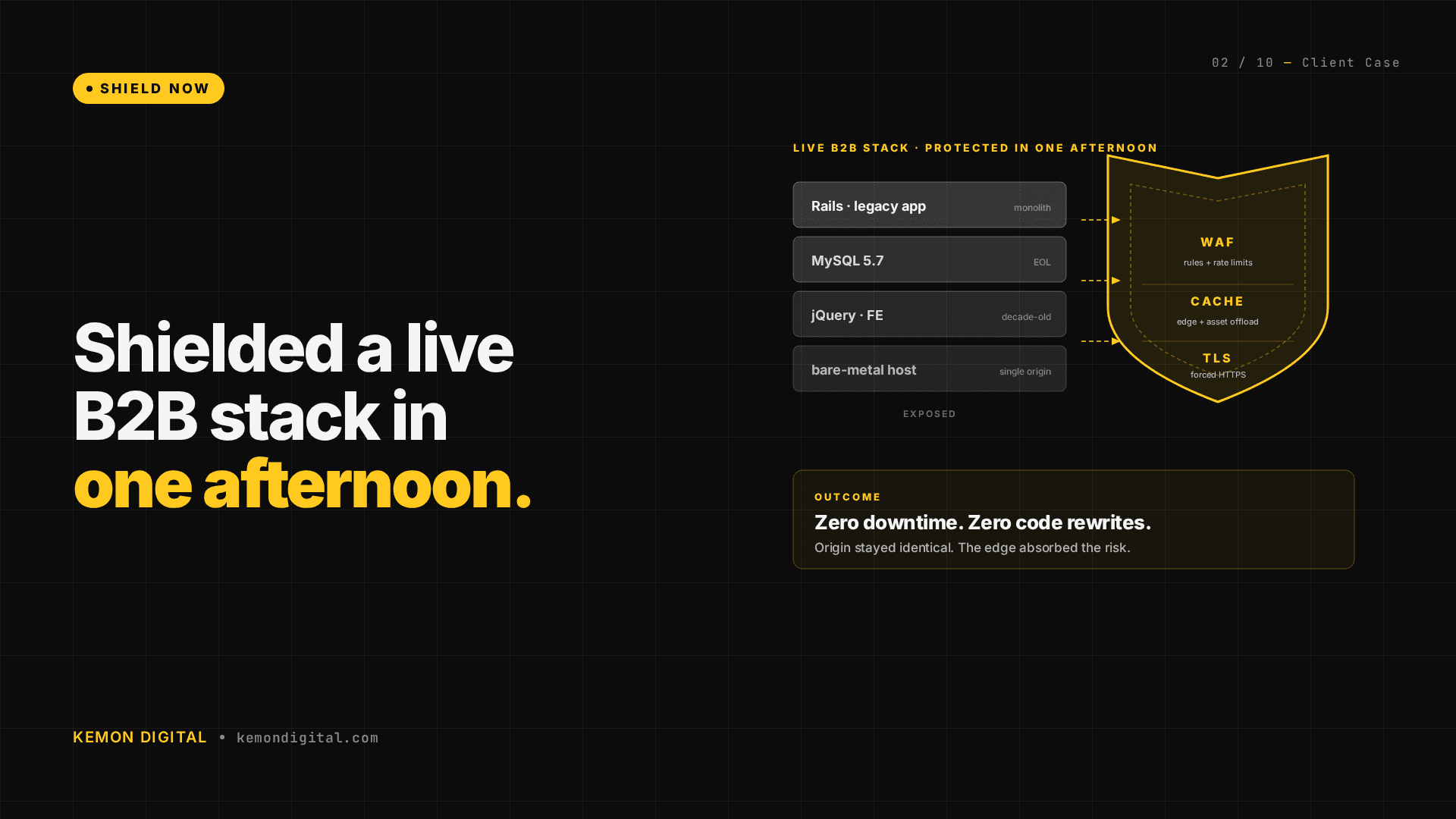
Legacy infrastructure shielding — protecting live revenue while you replace old tech
Legacy infrastructure shielding — protecting live revenue while you replace old tech
When a live e-commerce platform is running on infrastructure built in 2016 — decade-old OS, End-of-Life database, no security patches available — the instinct is to replace everything immediately. The reality is harder: you can't migrate everything at once without risking revenue. But you can protect it while you build a replacement.
This is the approach we took for a B2B wholesale platform at mid-five-figure monthly GMV.
The situation
A B2B wholesale platform operating in the Klang Valley. Mid-five-figure monthly GMV. The majority of revenue comes from repeat and direct buyers. A significant portion of traffic comes from organic search. By platform metrics, this is healthy.
The infrastructure: production server created December 2016. Never upgraded.
| Component | Version | Release Date | EOL Date | Status |
|---|---|---|---|---|
| Ubuntu | 14.04.5 LTS | 2014 | 2019 | End of Life |
| Linux Kernel | 3.13.0 | 2013 | — | End of Life |
| Ruby | 2.2.3 | 2015 | 2018 | End of Life |
| Rails | 4.2.11.1 | 2014 | 2017 | End of Life |
| Passenger | 5.0.26 | 2015 | — | End of Life |
| MySQL | 5.5.53 | 2013 | 2018 | End of Life |
| Nginx | 1.15.12 | 2018 | — | Supported |
Five of eight core components have zero available security patches. The OS is past end of life. The database is past end of life. The web framework is past end of life.
Risk context:
- Mid-five-figure monthly GMV means real revenue, real customer data, real payment processing.
- 72% of revenue from repeat buyers means customers trust the platform.
- 45% of traffic from organic search means the site is a visible target.
- Solo developer (no longer active) means no recovery procedures, no incident response knowledge.
- No automated backups means data loss is unrecovered.
Part 1: Shield Now (protecting the existing stack)
We executed three changes in the first 90 minutes. The goal was not to fix the decade-old stack. The goal was to prevent data loss and create time to build a replacement.
Automated weekly backups
A managed backup service configured to:
- Full filesystem snapshot every Sunday
- Encrypted, compressed, stored off-site
- Recovery tested (can restore within hours)
- Cost: approximately ten dollars per month
If the production server corrupts, fails, or is compromised, the team restores from the previous week's snapshot while the new stack comes online. Without this, data loss is permanent.
Cloudflare WAF with aggressive rate limiting
The platform was open to the public internet with no DDoS protection. We configured a Cloudflare WAF rule blocking any request with a URL path longer than 500 characters — a standard SQL injection and path traversal countermeasure.
Impact in first 24 hours: hundreds of thousands of blocked malicious requests. These are bots and attackers probing for vulnerabilities. The old infrastructure never saw them.
Cost: zero dollars (Cloudflare already in use for DNS).
Uptime monitoring with dual alerting
A monitoring service pinging the platform every 5 minutes with email alerts to two addresses if downtime is detected. Immediate notification means faster response time — the difference between detecting downtime via customer complaint (hours) versus automated alert (minutes).
Cost: low-single-digit dollars per month.
Total execution time: 90 minutes. Zero customer-facing changes. Zero downtime.
Part 2: Strangle Later (incremental replacement)
A strangler pattern approach means building the new system alongside the old one, routing traffic gradually to the new system, and decommissioning the old system only when it's empty. This is how you replace infrastructure on live revenue-generating platforms.
The strategy
1. Frontend migration: Rails views → Next.js
The platform serves a content layer (product listings, guides, category pages) and a transaction layer (cart, checkout, orders). The content layer is being replaced with Next.js, page by page. The transaction layer stays on Rails until it's proven stable on newer tech.
This pattern was proven on the /guide section — a content site extracted from Rails and moved to Next.js.
2. Transaction layer: checkout stays on Rails
Cart, payment processing, order creation, and payment gateway integration stay on Rails. This is where revenue happens. Moving payment logic too early introduces risk. It moves last.
3. Cookie-gated rollout with Nginx kill switch
New traffic gets a cookie: sbv2=1. Nginx checks this cookie:
- Cookie present → route to new Next.js stack
- No cookie → route to Rails stack
If the new stack breaks, change one line in Nginx config. All traffic routes back to Rails. No deployment rollback. No customer impact.
4. Time-bound strangling
A 90-day window to prove stability under live load:
- Month 1: Content pages live on Next.js, serving 5% of traffic via beta cookie
- Month 2: 30% of traffic, checkout tested on new infrastructure (no transactions yet)
- Month 3: 80% of traffic, checkout migration validated
- Month 4+: Gradual shift, Rails decommissioned when empty
No hard deadline. If issues emerge, step back and fix before expanding.
Why this approach works at scale
Traditional migration: shut down old system, move everything at once, hope nothing breaks. This fails at mid-five-figure monthly GMV.
Strangler pattern: the new system is proven under real load before the old system is disabled. If the new system fails, the old one still serves traffic. Revenue doesn't dip. Customer experience doesn't break.
The infrastructure moves at the platform's pace, not the technology's pace.
FAQ
Q: Why not replace everything at once? A mid-five-figure monthly GMV platform can't afford a single-night migration. One failure during migration could lose a week of revenue. Strangler pattern proves the new system works before cutting over from the old one.
Q: How long does a strangler migration take? 90–120 days from start to full decommission, depending on system complexity. This is faster than the traditional approach when you account for emergency rollbacks, data recovery, and customer impact.
Q: What if the old infrastructure fails during the migration? That's why you shield first. Automated backups, WAF, and monitoring protect revenue while the new system is being built. If the old system fails, restore from backup and keep the team working on the replacement instead of on incident response.
Q: Can I skip the shielding step and go straight to replacement? You can, but you're gambling. One server failure during migration could lose data. One security incident could compromise customer data. Shield the old system first, then replace it at your pace.
Q: Do we need downtime to deploy the new system? No. New code routes via cookie. If it breaks, Nginx reverts in seconds. You can deploy new versions continuously while serving traffic from the old system.
Protect live revenue on aging infrastructure. If your e-commerce platform is running on legacy tech with no disaster recovery plan, we audit, shield, and build replacement strategies. Contact Kemon Digital →