How to build a full e-commerce tracking stack in 24 hours (without breaking anything)
How to build a full e-commerce tracking stack in 24 hours (without breaking anything)
Most e-commerce platforms launch with basic Google Analytics and a Meta Pixel PageView event, then promise themselves they'll add depth later. That later usually becomes "never" until revenue is leaving the table untracked.
We took a Klang Valley B2B platform from zero ecommerce events to a complete funnel spanning GA4, Meta Pixel, and Google Ads in under 24 hours. No staging delays. No "let's iterate." Here's how we did it.
The situation
A B2B wholesale platform operating at mid-five-figure monthly GMV with a measurement stack that hadn't kept pace with the business. GA4 was live but only collecting pageviews. Meta Pixel was firing PageView only. Google Ads was optimizing on a "Checkout | Payment" page-load event with zero revenue attached. The business was real. The measurement was not.
We needed a complete ecommerce funnel — from product view through purchase — with real revenue flowing into every optimization tool. And we needed it live without breaking the current setup.
What we built
The GTM structure
GA4 Core:
- Single GA4 Config tag fired on All Pages, pointing at the Google Ads-linked property.
- Measurement ID pulled from a GTM variable.
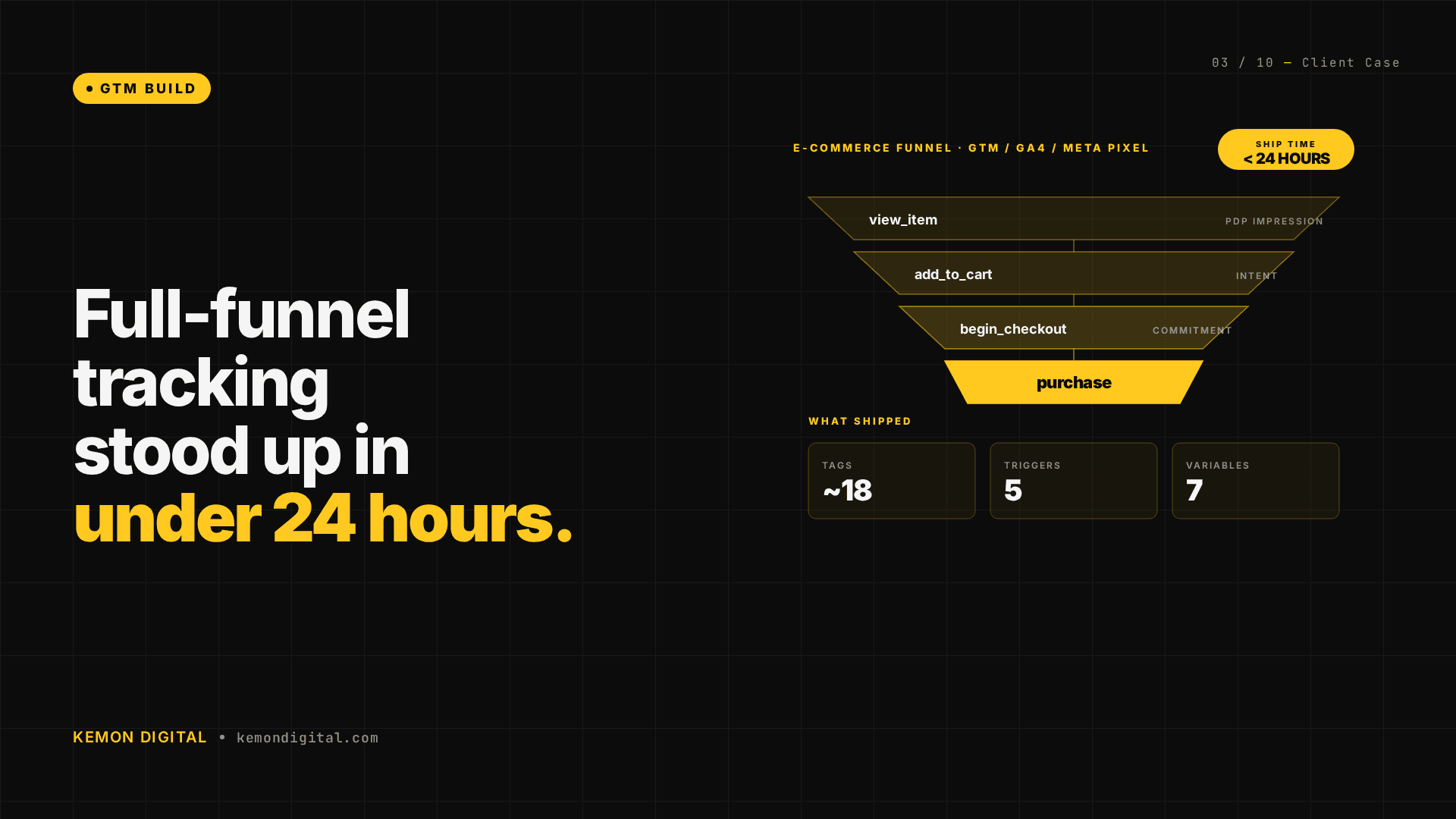
Ecommerce event tags (~8 covering the full funnel):
| Event | Trigger | Purpose |
|---|---|---|
| view_item | Product page URL match | Capture product ID, name, value — feeds GA4 Shopping behavior, item-level ROAS |
| add_to_cart | Custom dataLayer event (cart.add) | Capture item and quantity — measures cart add rate vs purchase rate |
| remove_from_cart | Custom dataLayer event (cart.remove) | Capture abandonment triggers |
| view_cart | Cart page URL match | Measure cart abandoners vs converters |
| begin_checkout | Checkout page load | Measure conversion rate: cart → checkout |
| add_payment_info | Payment method selected | Measure conversion rate: checkout step 1 → payment step |
| purchase | Custom dataLayer event (purchase.success) | Capture transaction_id, value, currency, items array — primary conversion for Google Ads and Meta |
| refund | Refund confirmation event | Measure purchase reversal rate |
Meta Pixel events (~6 covering the funnel):
- ViewContent — product page view
- AddToCart — cart addition
- InitiateCheckout — checkout initiated
- AddPaymentInfo — payment method selected
- Purchase — successful purchase
- Refund — refund processed
Additional pixel and service integration:
- Mailchimp site tracking — single container tag fired on all pages, capturing user email for list segmentation of purchasers.
- Google Ads conversion — fired by the GA4 purchase event, passing transaction value and currency.
The variables (7 total)
| Variable | Source | Purpose |
|---|---|---|
| GA4 Measurement ID | GTM constant | Point GA4 Config tag to correct property |
| Meta Pixel ID | GTM constant | Point Meta tags to correct pixel |
| Current Page URL | GTM built-in | URL matching for product/checkout page triggers |
| dataLayer: ecommerce | dataLayer object | Reads ecommerce object containing item, value, currency data |
| dataLayer: event | dataLayer object | Reads event key to fire correct tag |
| User Email | dataLayer or session | Passes email to Mailchimp for list syncing |
| Transaction ID | dataLayer | Captures unique purchase ID for revenue reconciliation |
The triggers (5 total)
- All Pages — fires GA4 Config and Mailchimp Container
- Product Page — URL pattern
/products/* - Checkout Page — URL pattern
/checkout - Cart Action Event — custom dataLayer
cart.addorcart.remove - Purchase Success Event — custom dataLayer
purchase.success
The server-side changes
Every GTM tag depends on dataLayer events being pushed reliably. We needed backend integration to fire purchase confirmation data on the order confirmation page.
What we changed:
- Order confirmation template (
confirmation.html.erb) — Added dataLayer push immediately after iPay88 payment verification:
<% if @order.payment_successful? %>
  <script>
    window.dataLayer.push({
      event: 'purchase.success',
      ecommerce: {
        transaction_id: '<%= @order.id %>',
        value: <%= @order.total_myr %>,
        currency: 'MYR',
        items: [
          <% @order.line_items.each do |item| %>
            {
              item_id: '<%= item.product_id %>',
              item_name: '<%= item.product_name %>',
              quantity: <%= item.quantity %>,
              price: <%= item.unit_price_myr %>
            }<%= ',' unless item == @order.line_items.last %>
          <% end %>
        ]
      }
    });
  </script>
<% end %>
-
Payment success partial (
_payment_successful_order_details.html.erb) — Rendered in multiple success paths (email, callback page). We added the same dataLayer push to eliminate blind spots. -
Removed legacy calls — Deleted inline
gaPurchase()JavaScript that was pre-GTM and unreliable.
Key principle: Purchase events only fire after successful payment gateway callback. No false conversions. Single source of truth.
The implementation timeline
- Hour 1-2: Set up GTM container, GA4 Config tag, variables, and triggers.
- Hour 3-4: Build all ecommerce event tags (view_item through refund).
- Hour 5-6: Build all Meta Pixel tags.
- Hour 7-8: Add Mailchimp integration and Google Ads conversion tag.
- Hour 9: SSH access to add dataLayer push on confirmation templates.
- Hour 10-12: End-to-end testing: purchase a test order, verify all events in GA4 Real Time, Meta Event Manager, and Google Ads conversion tracking.
- Hour 13-24: Monitoring and edge-case fixes (email confirmation path, webhook callback path, refund scenarios).
Zero downtime transition. The old "Checkout | Payment" conversion event disabled only after the new purchase event confirmed live for 2 hours.
The result (30 days later)
Week 1:
- GA4 ecommerce funnel fully active. All events flowing cleanly.
- Meta Pixel Purchase events live with transaction value and item detail.
- Google Ads purchase conversion importing daily with real revenue attached.
- Mailchimp site tracking capturing purchaser emails for segment-based campaigns.
Week 2-4:
- Dozens of recent purchasers tracked end-to-end through the full funnel.
- Low-five-figure tracked revenue visible in GA4 Monetization.
- Triple-digit purchase events on Meta Pixel (strong training signal for lookalike audiences).
- Google Ads moved from manual bidding to Maximize Conversion Value with real purchase revenue as the optimization signal.
- Mailchimp reporting double-digit repeat-order rates from purchased-customer segments.
Why 24 hours is possible (and why most teams take 2 months)
Standard approach takes longer because:
- Each tag is tested individually in staging.
- Dev cycles delay dataLayer push implementation.
- Implementation is incremental (view_item this quarter, purchase next quarter).
- No pre-built templates — the team reverse-engineers best practices.
Why we compressed it:
- Pre-built GTM templates — we had documented ecommerce tag structures, variables, and triggers already tested across multiple accounts. No inventing from first principles.
- Direct backend access — SSH to two template files. One git commit. No sprint queue.
- Parallel build — all 18 tags built at the same time against the same dataLayer structure. Testing was "does the full funnel work" not "does this tag work."
- Payment gateway as source of truth — the purchase event is conditional on successful iPay88 callback. No edge cases, no false conversions.
- GTM version history as audit trail — every change versioned, reversible, and reviewable.
FAQ
Q: Will adding 18 GTM tags slow down my site? Modern GTM is asynchronous. The container loads in a single HTTP request. Tag firing happens in parallel, after the page has rendered. A properly configured GTM stack has negligible impact on Core Web Vitals.
Q: What if my payment gateway is different (Stripe, 2Checkout, etc.)?
The dataLayer push structure is gateway-agnostic. The conditional logic changes (check Stripe.confirmPayment() callback instead of iPay88), but the event and ecommerce object structure remains the same.
Q: Can I skip the server-side changes and just use Google Tag Manager Server-side Container? You'd need to capture the purchase confirmation data from somewhere. Server-side GTM works well for enriching existing events, but you still need a reliable way to detect successful payment. Direct template modification is more direct.
Q: How do I know if my ecommerce events are firing correctly? GA4 Real Time dashboard → Engagement → Events. Trigger a test purchase and watch for view_item → add_to_cart → begin_checkout → purchase in real time. Meta Pixel Event Manager does the same. Google Ads Conversions dashboard shows daily import count and revenue.
Q: What happens to my Google Ads account when I switch from page-load to purchase conversion? Existing bid history is preserved. The optimizer resets to learning mode for 7-14 days while it calibrates on the new conversion signal. Expected: slight CPAs rise initially, then drop below the old page-load event as the optimizer learns from real revenue.
Q: Can I do this without downtime? Yes — run the new tags in parallel with the old ones for 24 hours. Verify the new purchase event in Google Ads dashboard. Only then disable the old "Checkout | Payment" conversion. Zero traffic loss.
Ready to stand up a full measurement stack? If your GTM container is empty, your purchase events aren't flowing, or your optimization tools are flying blind, we'll design and deploy a complete funnel without touching your current setup. Book a diagnostic call →